
Automatic flowing for debate
Turn any debate into a map.
Drop in a round. Deliberate builds the flow — the resolution, both sides’ positions, every pro and con — and links each argument to the exact second it was said.
IssuePro · 3:31Speaker 3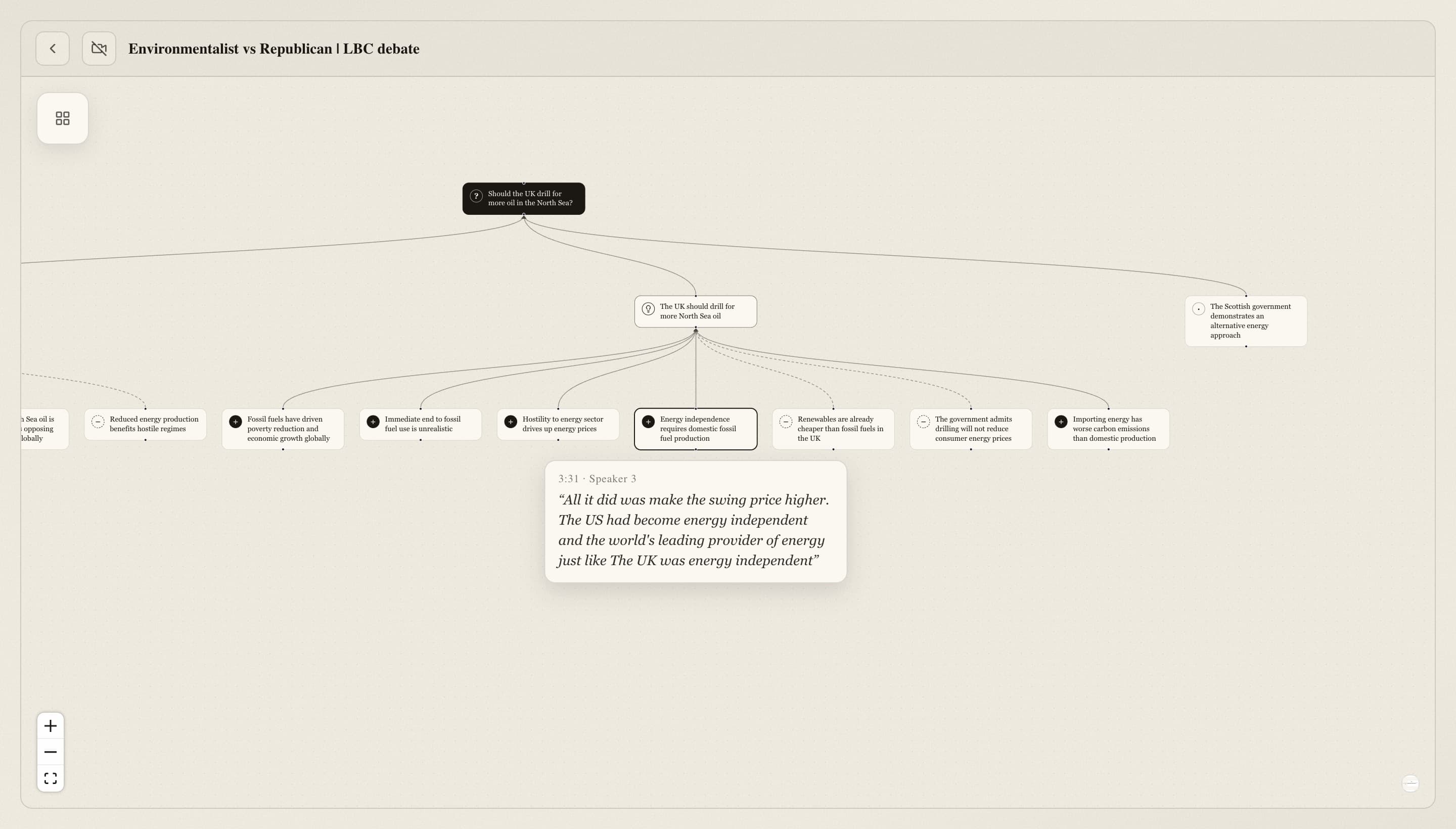
Every claim, grounded in what was said
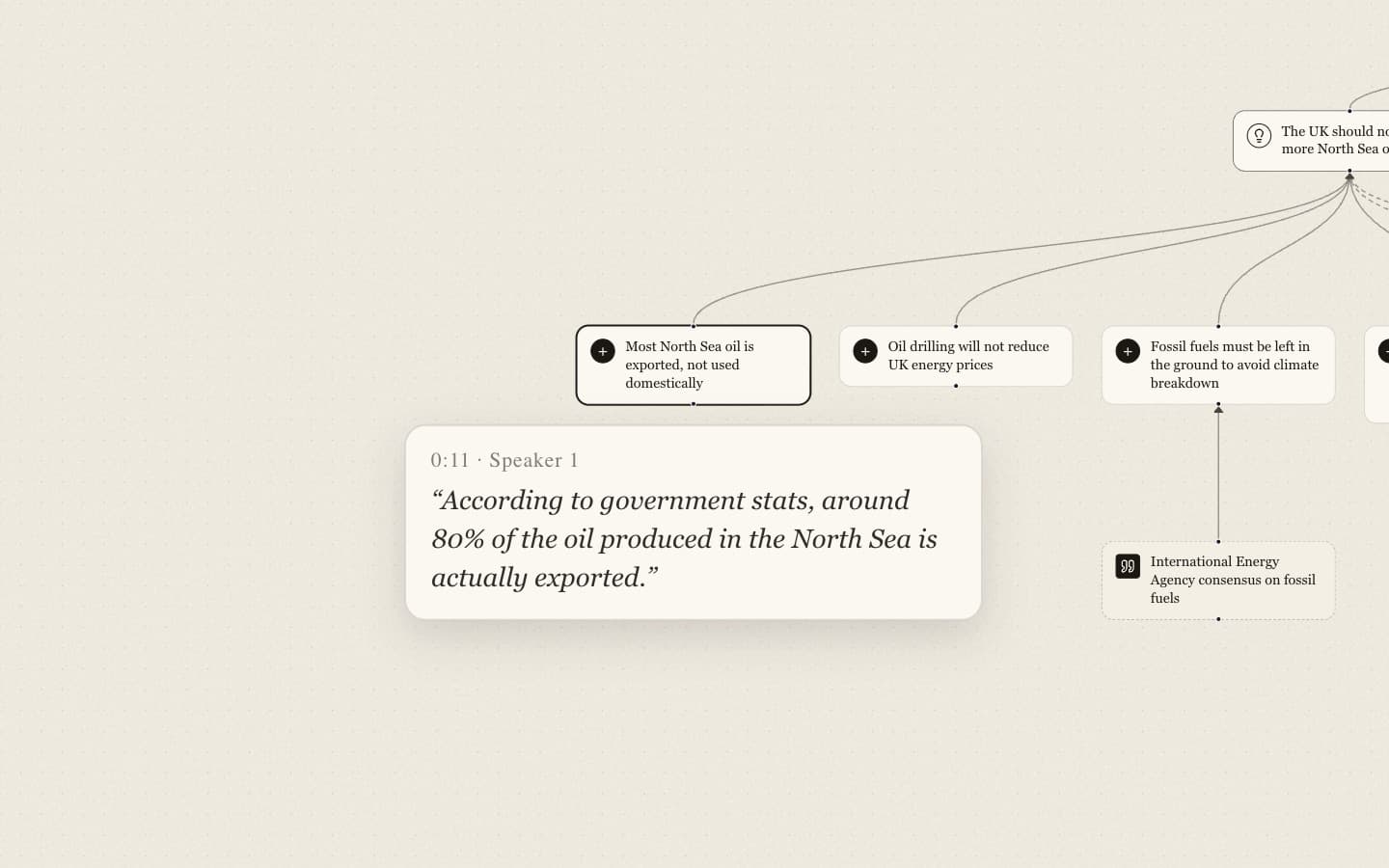
- Each argument carries the speaker, timestamp and verbatim quote behind it
- Click any box and the video jumps to the moment it was argued
- Film review without scrubbing through a 45-minute round
Flow at the speed of speech
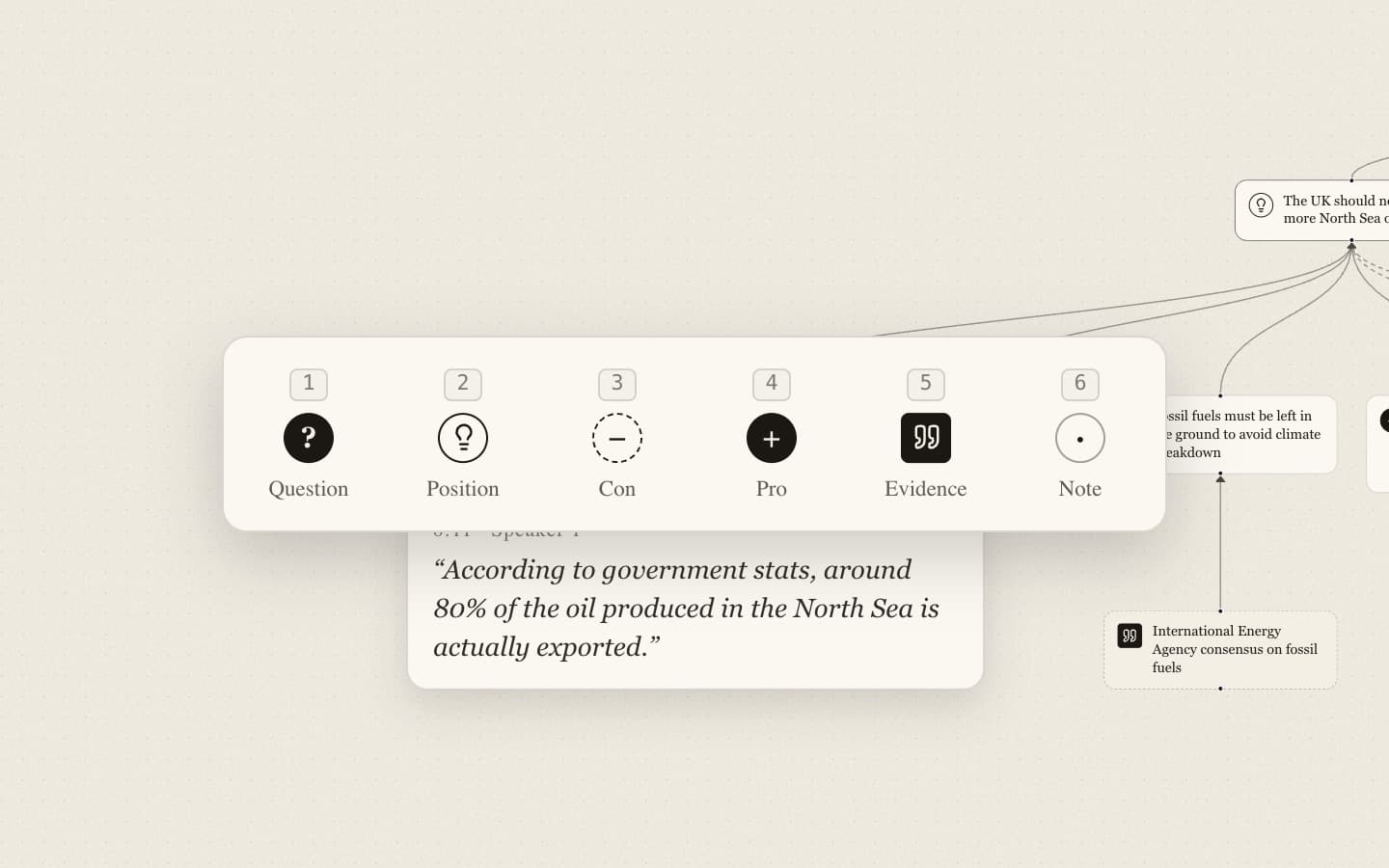
- Press Tab, then 1–6, to add a question, position, pro, con, evidence or note
- Arrow keys move through the tree; just start typing to edit
- Start from a blank map to prep cases before the round
From recording to map
- 1
Upload the round
Paste a YouTube link, drop in each speech as an audio file, or paste a transcript.
- 2
Deliberate listens
Speech is transcribed with speakers and timestamps, so nothing is paraphrased away.
- 3
Get the flow
An editable map of the clash — rearrange it, add to it, save it and share it with your team.